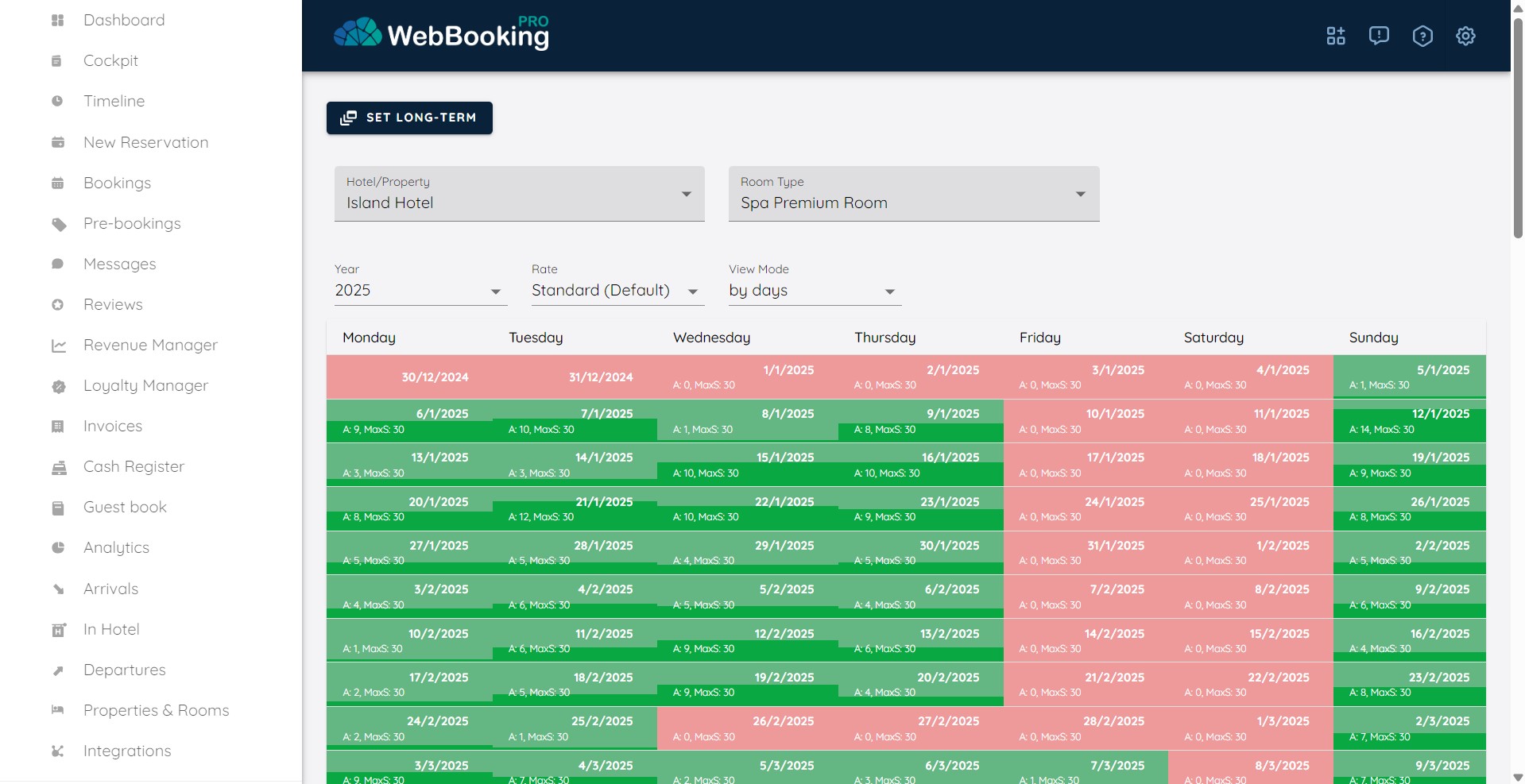
First let’s define three models of managing availability:
- automatic calculation of availability – suggested for vacant rentals or properties using our PMS
In this situation system will automatically calculate available number of units for specific room type based on “Number of room of this type” and active reservations.
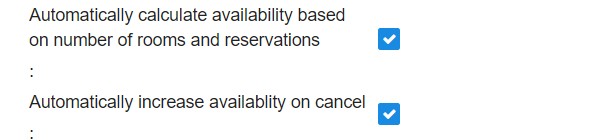
First to enable this model, in Properties & Room, change for each Property those checkboxes to be enabled.
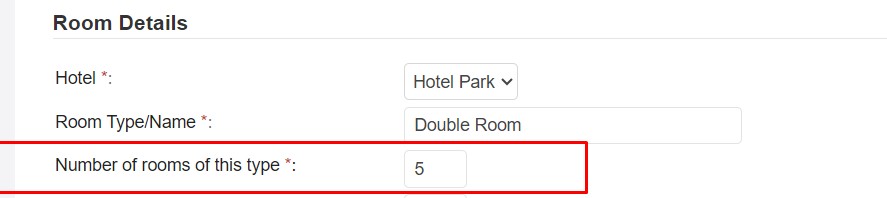
Second define for each room type maximum number of rooms in Properties & Rooms -> [Rooms].
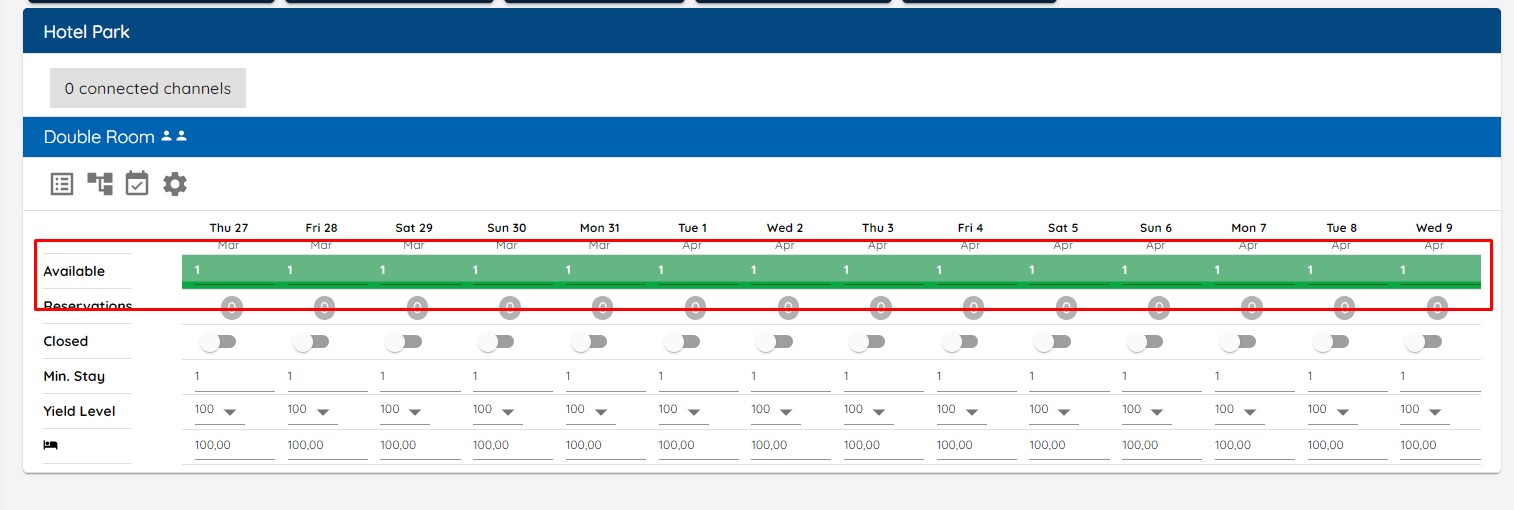
2. if you uncheck “Automatically calculate…” you will be able to manually enter or change availability in Cockpit.
You can manually change availability per day/room type or using Set Long term button for longer period. In Set Long term button you can use “Set”->”Adjust availability” to increase or decrease availability for specific amount.
3. automatic 2-way synchronization with your PMS
If you use external PMS we support 2-way connection with all PMSes connected. This means we can have real availability from PMS always synchronized with us. No need for manual update of availability. This works perfect in all hotel sizes and this is best way for save time, and have no overbookings. We have 2-way connection with many PMS solutions in the Region, including international Opera onPrem via OXI and Opera Cloud via OHIP.
All other restrictions like:
- Closed
- Closed for arrival
- Closed for departure
- Minimum stay
- Maximum stay
are set per Rate Level in Cockpit – not PMS!
Custom Rate Plans can have inherited Availability or inherited with correction or completely separate. With correction and completely separate there is option to check if there is real number of rooms available.

On default Standard (Base) rate you can change and set all those restrictions.
On any custom Rate Plan you can set that this Rate Plan inherits restrictions from Standard Rate – e.g. just Closed, just Min/Max Stay.
Inventory availability can be separate, inherited, inherited with correction and always double checked that is lower than real number of available rooms (from Standard (Base) Rate).
In Cockpit under each room type there is Availability Icon where you can see whole year availability for each rate plan and room.