


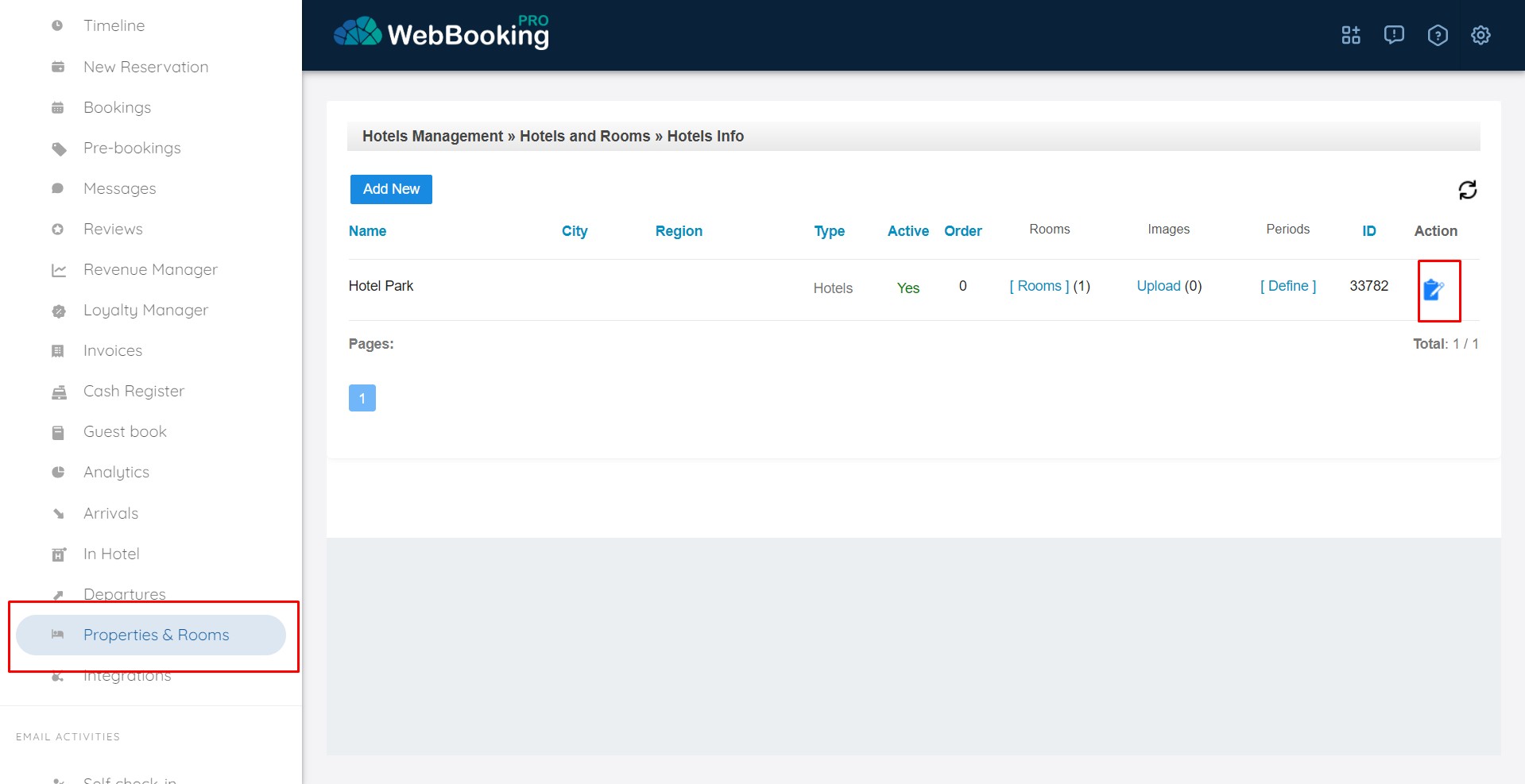
Under Properties & Rooms menu, for you will see list of your properties.
Property can be hotel or any independent building with 1 or more units inside.
(Room Types) are “Rooms” under each Property.
Hotels using external PMS system do not have to define Room Numbers for Room Types. Properties using PMS and having Room Types with more than 1 room, they can define available Room Numbers for each Room Type. They will see later reservations assigned to specific Room Number.
Houses for rent (Villas) they have 1 property and 1 Room Type with total number of rooms 1.
You can see and modify general information about the property with “Edit” icon at the end of line.
We always suggest editing at least following information:
Information important for Booking Engine and Channel Managers:
- Property Type – choose type of your property
- Name
- Address
- Postal code
- City
- Country
- Phone number
- Email address
- Image (main Property image)
- Check-in time (in hh:mm format)
- Check-out time (in hh:mm format)
- Languages available on Booking Engine
- Company / Owner Information (if using Invoice creation)
- Now for every supported language you have recommended texts:
- (not important) “Preferences” – small description about your property
- (recommended) “Description” – long description about your property – HTML can be supported
- (recommended) “Privacy Policy” – a text about your Privacy policy if you have if.
- (not important) “Additional Data” – HTML text or images shown under Property main image in First step of Booking engine. Usually we recommend adding images to your Awards (e.g. TripAdvisor, Booking.com, …)
When you finished editing information, click on blue “Update” button available on top or bottom of page.
Default cancellation/payment policy is set through Rate Plans -> Standard (Base) Rate.